



 Processing, and audio quality, might be one of the most misunderstood parts of broadcasting. Which is odd, because never has it been easier to improve the sound of your station/brand with the tools out there right now for making your AM, FM, or streaming signal stand out in the crowd.
I will admit that I am a passionate about great audio – you can blame my parents for that, with the big Sony floor speakers and subwoofer front and center in our living room showing off the power of great sound. Over the years as I got into streaming audio, and broadcast engineering, I started tinkering with processing – both physical and DSP based. Nothing I have discovered over the years is Earth shattering, but I do think that many people overlook some basic principles and what comes out of the speakers suffers for it.
First – garbage in, garbage out. For current based stations, make sure you are loading in an uncompressed WAV into the automation system and not an MP3 emailed to you for the sake of convenience. With many stations now using compressed IP links as STL’s, that MP3 will be crunched down by another codec or two along the way to the transmitter. Same for the stream – especially if your stream is a lower bitrate. Modern processors are also designed to work with the brickwalled limited songs of today so that already heavily processed material is not squished further. Gold based station? Make sure your library is actually uncompressed WAV and not recycled MP2 converted to WAV when you changed automation systems. Also make sure that you have everything loaded into the system at a consistent level – modern automation systems can do non destructive normalization on playback to help with consistency from seg to seg, which helps keep any downstream processors from working as hard. If yours does not, pick a loudness standard level and target to that.
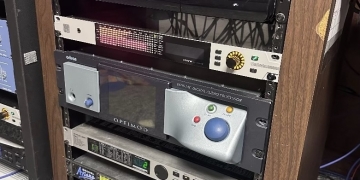
Second – process for the medium. What works on AM or FM is not meant for streaming – all that clipping for loudness might sound good in headphones at the processor, but will drive the encoder crazy. Software processors like the Optimod-PCn 1600, StereoTool, and others are designed to work with codecs to make the most out of a bit reduced stream – you can have the same energy and sonic signature as your OTA signal, but without the drawbacks of AM (limited frequency response, mono) or FM (preemphasis curve, clipping). Modern codecs like xHE-AAC or HE-AACv2 can deliver much better fidelity than legacy codecs like MP3 at mobile friendly bitrates of 48 – 96k. Even a spoken word format can benefit, with dry voice sounding more lifelike and less “robotic”.
Third – get rid of aging analog devices such as distribution amplifiers, older sound cards, and old switchers when possible. One of the biggest differences was when I went AOIP in my home studio – the noise floor went down, and with the automation PC using a driver instead of a sound card, I could hear details in the audio that were masked before. I realize that this may not be feasible for everyone, but even if you just recap that DA or switcher that has been in service for 20 years, it will help breathe some life into the audio until you can.
Fourth – Mic processing is an enhancement, not a band aid. A good mic and a mic processor combo help talent not work or strain to be heard over the music, but it cannot fix a badly treated room. Expanders can only help so much, especially if there are multiple mics in the room.
Processing is like a food condiment in many ways – a little can go a long way, and too much can spoil a great meal. However none at all can lead to a very bland experience – or even frustrating. I may enjoy a podcast or stream while driving, but not if I have to work the volume knob on the stereo like I’m running the board to hear it above the road noise. The same goes for streaming video – watching programs on YouTube and other services has gotten to the point that I run my TV audio in the office thru a processor to level out mumbled dialog and screaming commercials.
 Giving your audio a signature is also a way to make your brand unique if done right – yes, we’re radio people who fondly remember the signature sound of stations like WNBC, WABC, Z100, and others. But great (and unique) audio is a way to grab listeners. It also makes sure they stay around by not having them strain to listen in various environments. We’re all listening in different places on a plethora of devices – the transistor radio of yesterday is now the smart speaker, so you have to make sure your stream sounds as good on that small speaker as it does in your headphones, or a 14 speaker Bose car audio system.
No, not every format needs things like reverb or stacked boxed like my Oldies and Jammin Oldies streams have. But much like great visuals make a TV show or movie more exciting to watch, tasteful and appropriate processing can add excitement to your audio. We are in the entertainment business – and special effects are a part of it.
Just think of how much happier your listeners will be if you give some love to your audio chain. And your ears will thank you the next time you crank up your favorite song when it comes on. Mine certainly do!











 KC4RAE
This is probably one of the best articles regarding processing in a good while. I’ve been processing my podcasts and YouTube videos for a long long time. It’s actually very easy to do and most audio and video editors can incorporate it easily, but creators aren’t very tech savvy. I watch a lot of creators struggle when something goes wrong on their live streams.
The station I did work for was using a 8100 to process the webstream, which is 32 kbps HE-AAC. It was awful because the audio was pre-emphasized and not peak controlled, so peaks were clipped at the encoder and made the already very bit-reduced audio sound even worse especially since one of the core aspects of HE-AAC is SBR. I used Stereo Tool to replace the 8100 and the improvement is amazing and ST has a lot of stuff that improves the efficiency of those lossy encoded streams. It was worth paying for it so they could have, finally and at last, great audio. I’ve learned a lot of tricks to improve the sound from experimenting with my own system.
You mentioned MP2 conversions from other systems to WAV which is another problem I still deal with. My music library is from CDs, so it was easy to import those improvements into the current automation system (or maybe not quite so since I had to do them one-by-one, which is a taunting process). However, one problem I’ve noticed is that other users who don’t understand the audio chain are using YouTube videos to use in the local music library. While it is better than Napster-era mp3s, I’d rather have the MP2s than a YouTube video since there’s a lot of transcoding done there. I’ve said a lot to discourage the use of YouTube videos, but it still goes on because it’s easier to import than to grab a CD or buy WAVs from a professional music service, especially since budgets are shrinking.